How AI Video Generation Works: The Tech Behind Veo3 and Sora
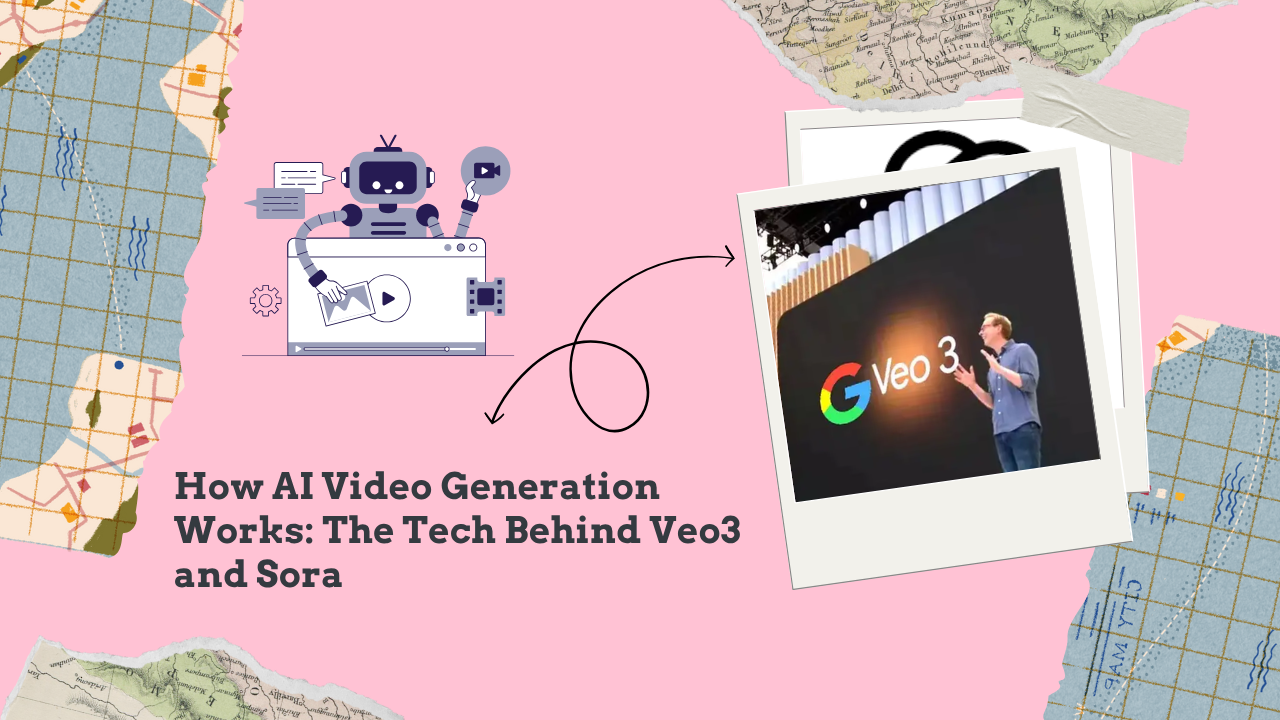
Artificial intelligence has changed the way we create videos. Now, you can type a short description, and in seconds, an AI can turn your words into a realistic video. This technology is behind tools like Veo3 and Sora, which are making video creation easier for everyone.
What is AI Video Generation?
AI video generation means using computer systems to automatically make videos from simple inputs like text, images, or even other videos. Instead of filming or animating each scene by hand, AI does the heavy lifting. You just describe what you want, and the AI builds the video for you.
This process uses advanced computer programs called neural networks, which are trained to understand both language and visuals. These systems can:
-Turn a text prompt into a video
-Animate a still image
-Extend or modify existing videos
-Add sound, dialogue, and effects
The Building Blocks: How AI Makes Videos
1. Training on Huge Datasets
AI video generators start by learning from massive collections of videos and images. These datasets include all kinds of scenes, actions, objects, and styles. The AI studies these examples to learn how things look, move, and interact in the real world.
2. Understanding Language
When you give the AI a prompt, it uses natural language processing (NLP) to figure out what you want. NLP helps the AI break down your words and match them with the right visuals, actions, and emotions. For example, if you type “a dog running through a park,” the AI knows to show a dog, a park, and running motion.
3. Generating the Video
Once the AI understands your request, it uses special models to create the video. The most common methods are:
-Diffusion Models: These start with a noisy, static-like video and slowly clean it up step by step, revealing the final scene. Sora uses this technique.
-Transformer Models: These models, inspired by the same tech behind chatbots, help the AI understand long sequences and keep things consistent across frames.
-Generative Adversarial Networks (GANs): Some systems use GANs, which have two parts: one creates images, and the other checks if they look real. They work together to improve the quality of the video.
4. Adding Sound and Dialogue
Modern AI video tools can also generate sound effects, background music, and even dialogue. They use similar AI models trained on audio data to match the video’s mood and action.
5. Fine-Tuning and Editing
After the video is created, you can often tweak it by adjusting the pacing, style, or specific details. The AI can re-generate scenes or add new elements based on your feedback.
The Tech Behind Veo3

Veo3 is one of the latest AI video generation models, developed by Google. It’s designed to make professional-quality videos from text or images, with a focus on cinematic quality and creative control.
Key Features of Veo3
-Text-to-Video: Type a description, and Veo3 builds a video that matches your words.
-Image-to-Video: Upload a photo, and Veo3 animates it, adding motion and depth.
-Audio Generation: Veo3 creates sound effects, background noise, and even lip-synced dialogue.
-Style Customization: Pick different visual styles, moods, and camera angles.
-High-Resolution Output: Generates videos in 4K quality, ready for professional use.
-Realistic Physics: Simulates real-world effects like water movement, shadows, and natural human motion.
How Veo3 Works?
Veo3 combines several advanced AI models:
-Google Flow: This is the core engine for video generation, handling both visuals and audio.
-Multimodal Understanding: Veo3 connects language, visuals, and sound, making sure everything fits together smoothly.
-Continuous Learning: The system keeps improving by learning from user feedback and new data.
-Ethical Safeguards: Veo3 has built-in checks to avoid creating harmful or inappropriate content.
When you use Veo3, you start by entering a prompt or uploading an image. The AI analyzes your input, creates a storyboard, and then generates the video scene by scene. You can adjust the result by changing the style, pacing, or even specific camera movements.
The Tech Behind Sora

Sora is an AI video generator from OpenAI. It’s designed to turn text descriptions into realistic, high-quality videos, and it can also animate images or extend existing videos.
Key Features of Sora
-Diffusion Model: Sora starts with a noisy video and gradually refines it into a clear, detailed scene.
-Transformer Architecture: This helps Sora handle long, complex scenes and keep characters and objects consistent.
-Patch-Based Representation: Sora breaks videos into small “patches,” like puzzle pieces, making it easier to handle different resolutions and durations.
-Recaptioning: Sora uses highly detailed captions for its training data, allowing it to follow user instructions closely.
-Video Editing: Sora can extend videos, fill in missing frames, or animate still images.
-Cloud-Based: Sora runs in the cloud, making it easy to use from anywhere.
How Sora Works?
When you give Sora a prompt, it processes your request in several steps:
-Text Understanding: Sora analyzes your description using NLP.
-Scene Planning: It creates a plan for the video, deciding what should happen in each frame.
-Video Generation: Using diffusion and transformer models, Sora builds the video from scratch or modifies an existing one.
-Audio Integration: Sora can sync with AI voice models to add narration or dialogue.
-Output: The finished video is delivered in high resolution, ready for use.
Sora can handle complex scenes with multiple characters, detailed backgrounds, and even emotional expressions. It’s designed to keep objects and people consistent, even if they leave the frame and come back later.
What Makes These Tools Special?
Ease of Use
You don’t need technical skills or expensive equipment. Just describe your idea, and the AI does the rest.
Speed and Flexibility
Videos that once took weeks to make can now be created in minutes. You can quickly try different ideas and styles.
High Quality
Both Veo3 and Sora produce videos that look and sound professional, with detailed visuals, smooth motion, and realistic audio.
Creative Freedom
You can experiment with different genres, moods, and effects. The AI adapts to your vision, whether you want a cinematic scene or a playful animation.
Challenges and Limitations
While AI video generation is powerful, it’s not perfect. Current systems can struggle with:
-Complex Physics: Things like water splashing or objects interacting in detailed ways can look unnatural.
-Causal Logic: The AI might miss small cause-and-effect details, like bite marks appearing after someone eats.
-Spatial Reasoning: Sometimes, left and right can get mixed up, or objects might move in odd ways.
-Long Scenes: Keeping everything consistent across longer videos is still a challenge.
There are also technical limits, such as maximum video length, resolution, and the number of jobs you can run at once.
The Future of AI Video Generation
AI video tools like Veo3 and Sora are just getting started. As these models keep learning and improving, we can expect:
-Even more realistic videos
-Longer and more complex scenes
-Better control over every detail
-Easier integration with other creative tools
-AI is making video creation faster, cheaper, and more accessible. Whether you’re making ads, movies, or social media clips, these tools open up new possibilities for creativity.
AI video generation has changed how we think about making videos. With tools like Veo3 and Sora, anyone can turn a simple idea into a professional-quality video in minutes. These systems use advanced language and vision models, huge datasets, and clever algorithms to bring your ideas to life. While there are still some challenges, the technology is moving fast, and the future looks bright for AI-powered video creation.
About the author
- LLMs • AI Agents • RAG • LangChain • LangGraph • Fine-Tuning • Reinforcement Learning • Python • APIs
Comments
Join the discussionNo comments yet. Be the first to comment.