How OpenAI’s Agent Builder Helps Build Smarter AI Agents Without the Hassle?

Artificial intelligence agents are becoming common in many digital products, helping with support, research, sales, and more. But putting them together has often been complex, needing different tools, lots of custom code, and plenty of time. OpenAI has now introduced a set of tools called AgentKit, and at the heart of this set is the Agent Builder, a new way to create smart agents with much less stress and much more speed.
What Is the Agent Builder?

OpenAI Agent Builder is a visual platform that lets people build, test, and put AI agents to work, all within a single, easy-to-use place. Instead of writing lines and lines of code, users can drag, drop, connect blocks, and instantly see how logic flows from one step to the next. The Agent Builder sits in the bigger AgentKit family alongside other handy tools like ChatKit (for chat interfaces) and a growing list of connectors to outside data.
Why the Agent Builder Matters
Building an AI agent was once a task that only very technical people could attempt. Even then, making all parts work together meant jumping between different screens and plugging separate pieces by hand. The Agent Builder aims to change all this in three big ways:
-It puts all the parts needed to build and run agents into one clean workspace.
-It saves weeks of time by letting ideas turn into real agents in hours, not months.
-It opens doors for teams to try new agent ideas faster, with fewer risks and roadblocks.
The Visual Canvas: Build Without a Headache
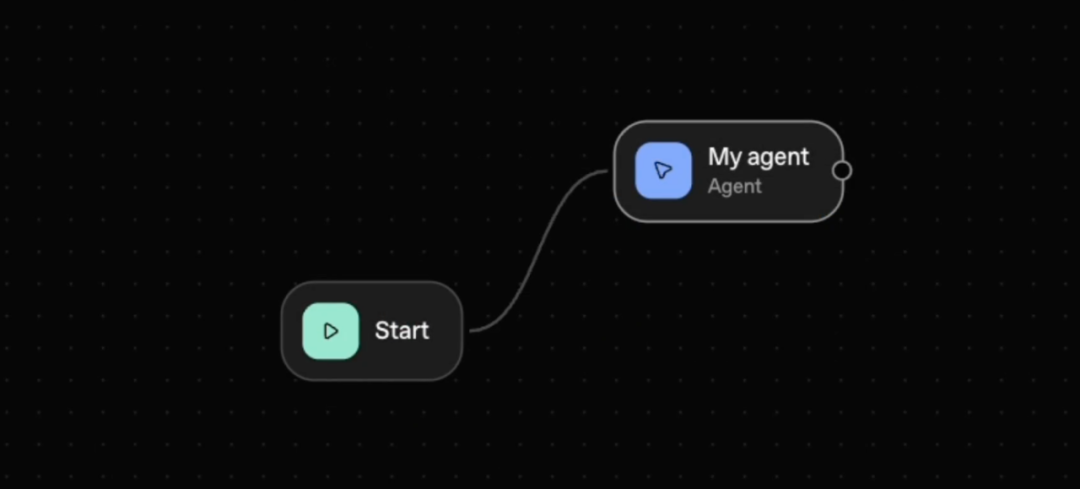
The visual canvas is the heart of the Agent Builder. Here’s how it works:
-Nodes represent logic steps, decisions, or tasks performed by the agent.
-Connectors link one node to the next, making it clear what happens first, next, and last.
-Guardrails can be added wherever safety is needed, like checking that the agent replies safely or avoids certain mistakes.
-Templates make it easy to start from a common setup or to build something new from scratch.
-Each agent can be previewed and tested right on the canvas, so anyone can spot problems and fix them quickly.
This setup brings designers, product managers, and engineers together. Everyone sees the same picture and can suggest changes or spot gaps before the agent goes live.
Easy Connections With The Connector Registry
Agents are powerful when they can use data from outside. The Connector Registry is a simple control panel where teams can plug in popular sources like Dropbox, Google Drive, Microsoft Teams, or custom databases. Once connected, agents can read from, write to, or act on information in those places. It takes away the hassle of custom code for every connection.
Built-In Guardrails and Safety Tools
Smart agents need to be careful with things like sensitive data. Guardrails are tools in Agent Builder that help stop mistakes before they happen. For example:
They can hide or flag personal information, so nothing private leaks.
They can spot when someone tries to “break” the agent’s rules.
They can flag behavior that seems unsafe, giving teams time to review.
These guardrails work out of the box but can also be tweaked for special needs. This makes it easier for companies to trust their agents, knowing someone is always watching for problems.
ChatKit: Instant Chat Interfaces
After building an agent, most teams want people to talk to it through a chat interface. ChatKit lets teams add custom chat boxes to their websites or apps with almost no extra effort. Not only does this make the agent feel like a real person, but it also gives live feedback, typing indicators, and options for branding to match the company style.
How Does It Actually Work?

The process feels almost magical in its simplicity. You start by opening the Agent Builder and describing what you want your AI assistant to do. Let's say you want to create an agent that helps with email management.
You might say something like: "I want an AI that can read my emails, sort them by importance, draft replies for routine inquiries, and flag urgent messages that need my personal attention."
The Agent Builder takes this description and starts asking clarifying questions. It might ask about your preferred tone for email replies, what you consider urgent, or how you want emails categorized. Through this back-and-forth conversation, it builds a complete picture of what you need.
Once you're satisfied with the setup, the system creates your custom agent. You can test it immediately, make adjustments, and refine its behavior until it works exactly how you want.
How Teams Use Agent Builder
Many groups have already tested Agent Builder in real settings. Here are a few ways it’s been put to work:
Customer Support: Agents that handle most questions, leaving only complex cases for humans.
Sales Assistance: Agents that guide buyers, answer questions, and help close deals.
Workflow Automation: Agents that take care of repeated tasks, update records, and ping humans only when needed.
Teams love how they can start with a blank canvas or jump right in with a template, then adjust details as they see fit. No more back-and-forth between departments—everyone can work together on the same screen.
Evaluation and Tracking Built-In
Rolling out an agent is only half the job. The Agent Builder and the new Evals tool let teams:
-Measure how well agents are doing in real situations.
-Track which answers are useful and which need tweaking.
-Automate the process of testing agents on common questions or edge cases.
This means teams can spot problems before customers see them. Over time, agents just keep getting better with every update.
What About Security and Privacy?
Modern AI agents interact with business data, and safety is always a concern. With the Agent Builder:
-Guardrails make sure agents never reveal sensitive information.
-Audit logs and evaluation tools help find and patch issues fast.
-The entire system is built to be transparent, so teams always know what the agent is doing and why.
This keeps management, legal, and technical teams happy, all with less stress and fewer surprises.
The Learning Curve Is Surprisingly Gentle
One of the most impressive aspects of the Agent Builder is how easy it is to learn. Most people can create their first functional agent within an hour of starting. The interface guides you through the process step by step, and the AI asks intelligent questions that help you think through what you actually need.
The system also provides templates and examples for common use cases. If you want to create a customer service agent, you can start with a template and customize it for your specific business. This approach significantly reduces the time from idea to working solution.
Testing and iteration happen in real-time. You can chat with your agent immediately after creating it, see how it responds, and make adjustments on the spot. This immediate feedback loop makes the development process feel natural and intuitive.
Integration Capabilities That Extend Functionality

The Agent Builder doesn't exist in isolation. These custom agents can connect with other tools and services you already use. Your email management agent could integrate with Gmail, Outlook, or whatever email service you prefer.
A social media management agent could connect to Twitter, LinkedIn, Instagram, and Facebook, managing your presence across all platforms from a single interface. This integration capability means your agents can actually take actions in the real world, not just provide advice or information.
The API connections allow for sophisticated workflows. An e-commerce agent could monitor inventory levels, update product listings, process orders, and even handle basic customer service inquiries - all automatically.
Agent Builder shows how far AI tools have come from messy, code-heavy setups to friendly, fast, and safe builder kits. It stands on top of the latest OpenAI models, so as those models get smarter, the agents built with Agent Builder get better too.
Companies can now move quickly, try new ideas, and fine-tune agents in hours-not weeks or months-without cutting corners on safety or quality. Whether building something for customers or helping internal teams work better, the Agent Builder is forming the backbone of the next wave of smart software.
Many are calling this the age where anyone with a good idea can test and launch an AI agent, no matter their technical skills. With tools like Agent Builder leading the way, that vision is quickly becoming reality.
About the author
- LLMs • AI Agents • RAG • LangChain • LangGraph • Fine-Tuning • Reinforcement Learning • Python • APIs
Comments
Join the discussionNo comments yet. Be the first to comment.